Import recipes from social media videos, posts or any website



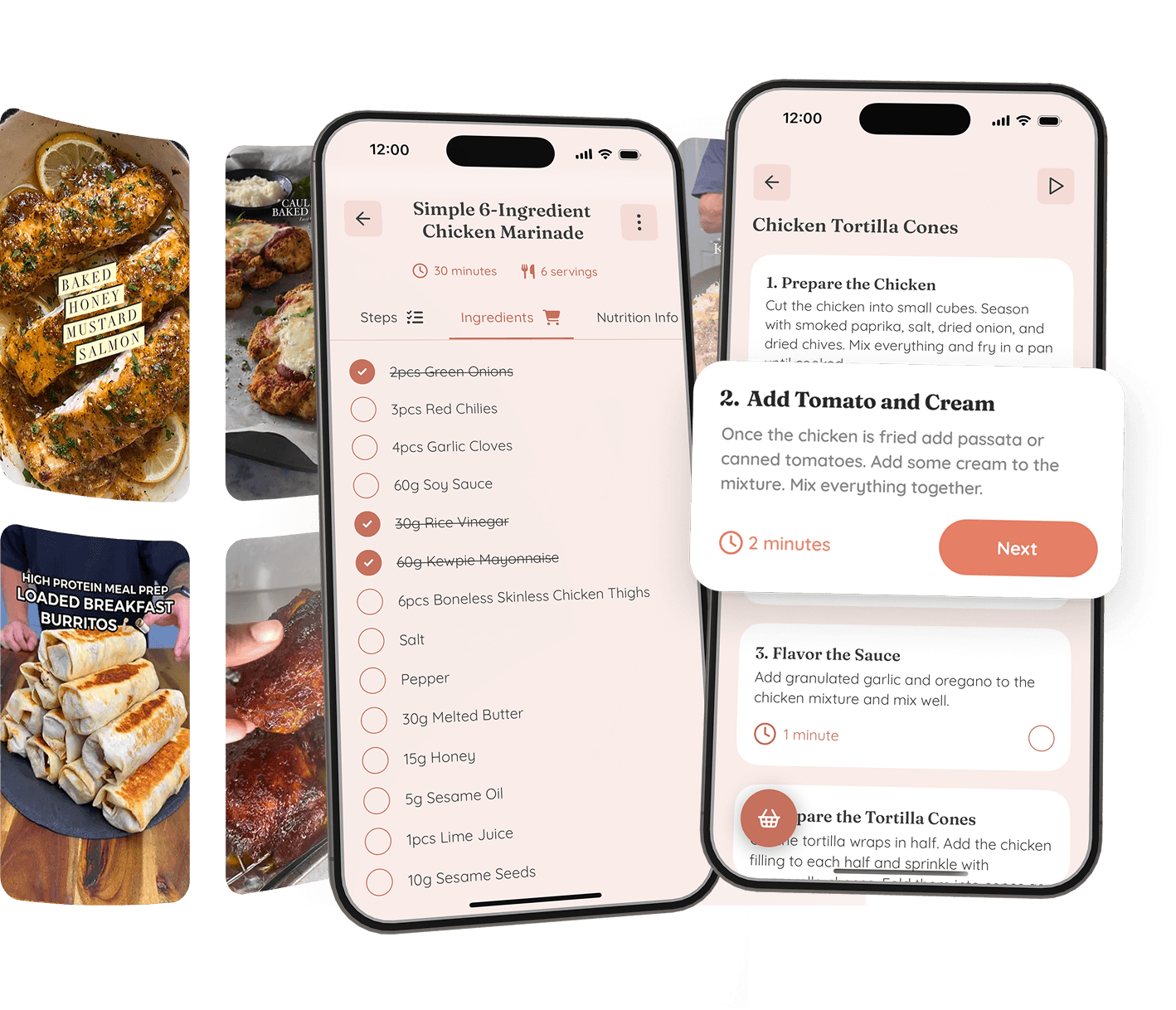

Whisk creates step-by-step recipes from any link


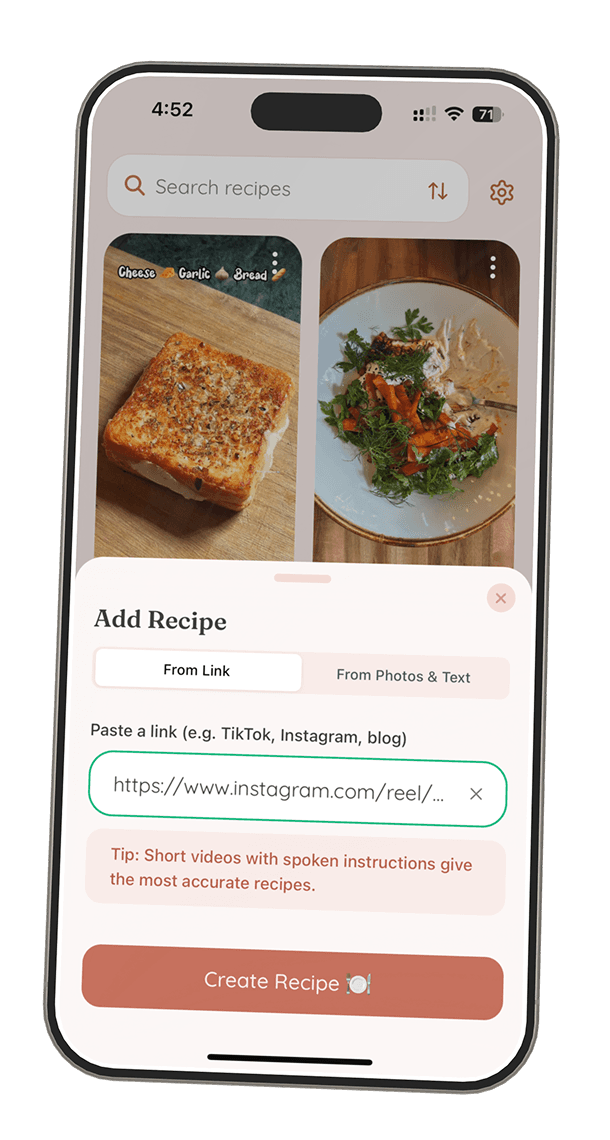
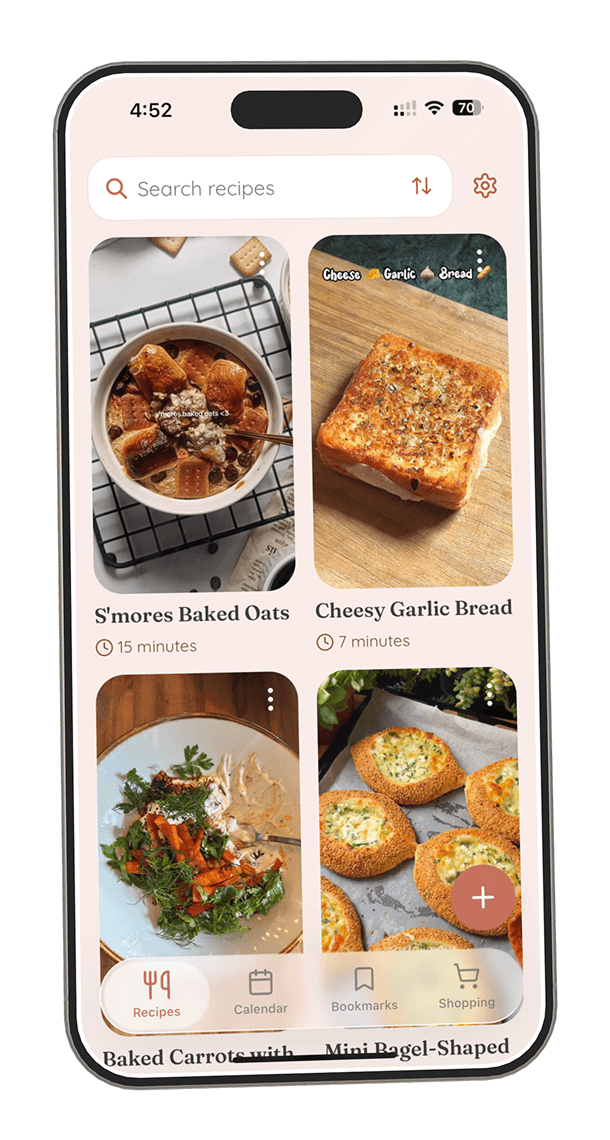
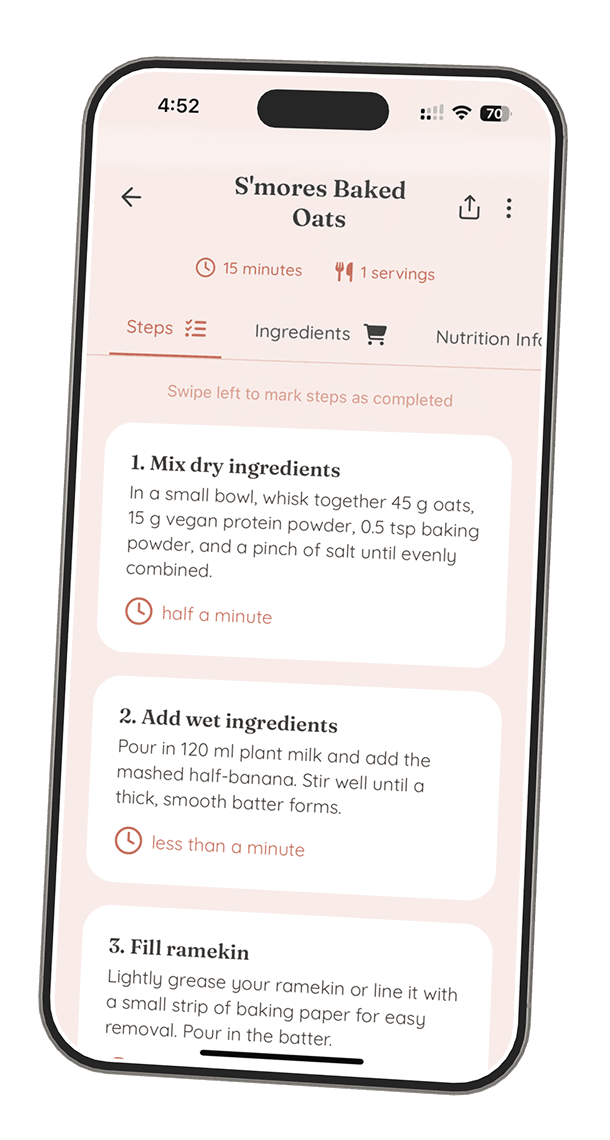

Import from anywhere
Capture recipes from TikTok, Instagram, websites, or photos. Whether it's a viral video or grandma's handwritten card, Whisk saves them all in your personal cookbook.

Cook without confusion
Whisk auto-converts any recipe into clear, visual step-by-step instructions. No more pausing videos or scrolling through blogs - just cook at your own pace.

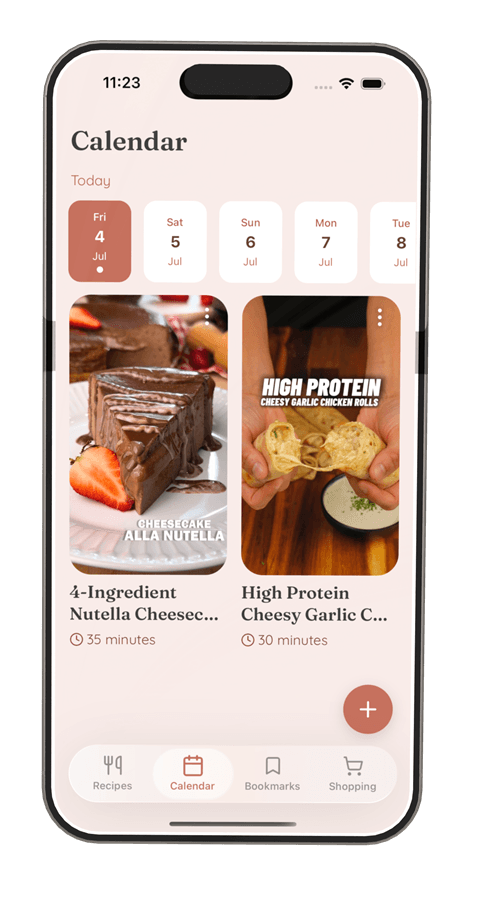
Plan ahead with a calendar
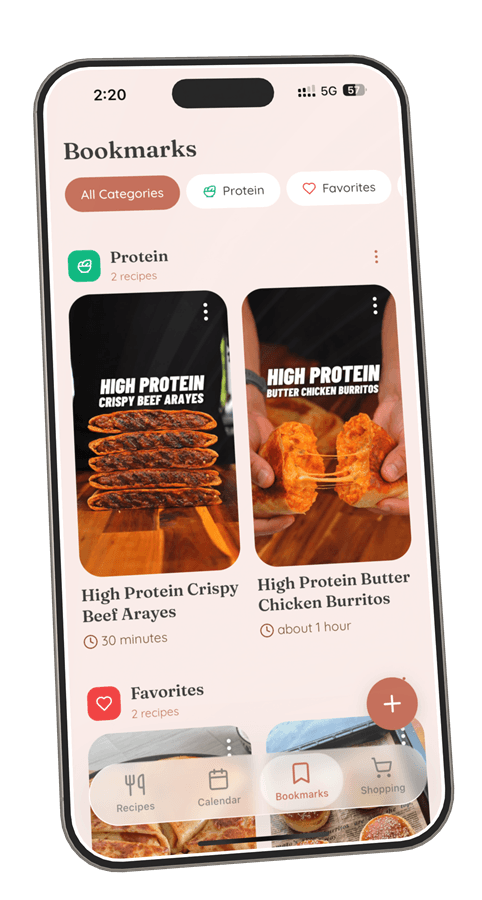
Schedule your meals for the week and never wonder "what's for dinner?" again. Drag recipes to any day and keep your meal prep organized.
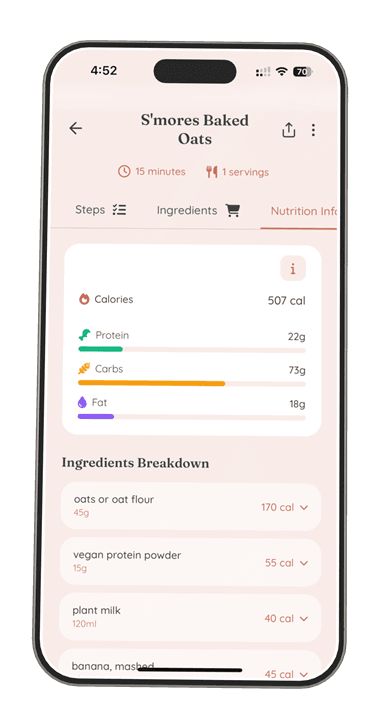
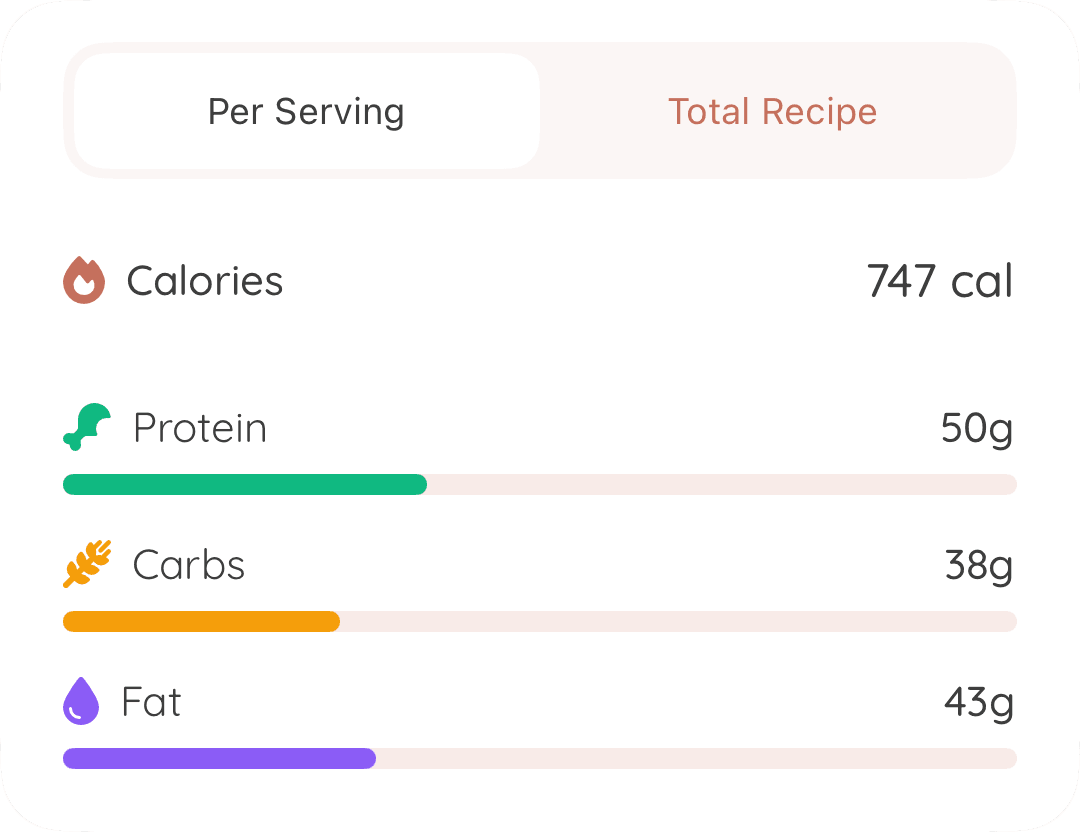
NEW!
See calories and macros for every recipe 🔥
Keep those calories in check. Whisk estimates calories and macronutrients for every uploaded recipe.
Here’s what users say about Whisk
See why people love cooking with our app.

So many great features
Aug 12, 2025 - SFNewbie2015
I have so many recipes saved on TikTok and Instagram but it’s hard to find the right one and get the cooking steps so I rarely cooked the recipes I saved. Whisk extracts all of the cooking steps and creates the recipe for you. You can then add it to a calendar so know what you’re going to make this week AND it pulls together a shopping list for you!??! Are you kidding! So helpful. Love it. I would give it 100 stars if I could.
The most simple and helpful app!!
Jul 10, 2025 - C.Muell
I NEVER leave reviews but I just had to for this. This app is so helpful to actually transfer and use recipes from social media! It gives you all the nutrition facts and a grocery list AND is simple to use and see what recipes you have! I’m obsessed.
Super App!
May 26, 2025 - Liam🥤
Einfach zu bedienen und super hilfreich! 5 Sterne auf jeden Fall verdient
Great concept and amazing support!
Jun 5, 2025 - danifromthebay
This app has been a game changer for me! I had used ReciMe but it got too pricey and didn’t always work well. ChatGPT recommended this app to me so I tried it and had a couple glitches- I submitted support tickets for each issue and the support team got back to me so quickly and made adjustments in the app so that it now works flawlessly and even better than ReciMe!
Frequently Asked Questions

How do I import recipes from TikTok and Instagram?
Simply copy any TikTok or Instagram link containing a recipe, paste it into Whisk, and click 'Create Recipe'. Whisk automatically extracts all ingredients and creates step-by-step instructions, even if the original post doesn't have them. The app works with reels, posts, and any video format.

Which social media platforms does Whisk support?
Whisk supports recipe imports from TikTok, Instagram, YouTube Shorts, Pinterest, Facebook, and virtually any website with recipes. You can also import from photos of handwritten recipe cards or screenshots. Over 100,000 recipes have been created by users from various sources.

Can I save recipes from websites and blogs?
Yes! Whisk works with any website containing recipes. Just copy the URL, paste it into Whisk, and the app will extract the recipe, organize ingredients, and create step-by-step instructions. No more scrolling through long blog posts to find the actual recipe.
What makes Whisk different from other recipe apps?
Whisk is the newest recipe app from Forkflow, and it's built around fully automatic recipe extraction. Most recipe keepers and organizers make you add recipes by hand — typing or pasting in the ingredients and steps yourself. Whisk pulls everything for you: paste any TikTok, Instagram, YouTube, or website link and it automatically extracts the full recipe, ingredients, and step-by-step instructions, then adds calorie and macro estimates, a grocery list, and meal planning. No manual entry, no copy and paste.